MCP Servers
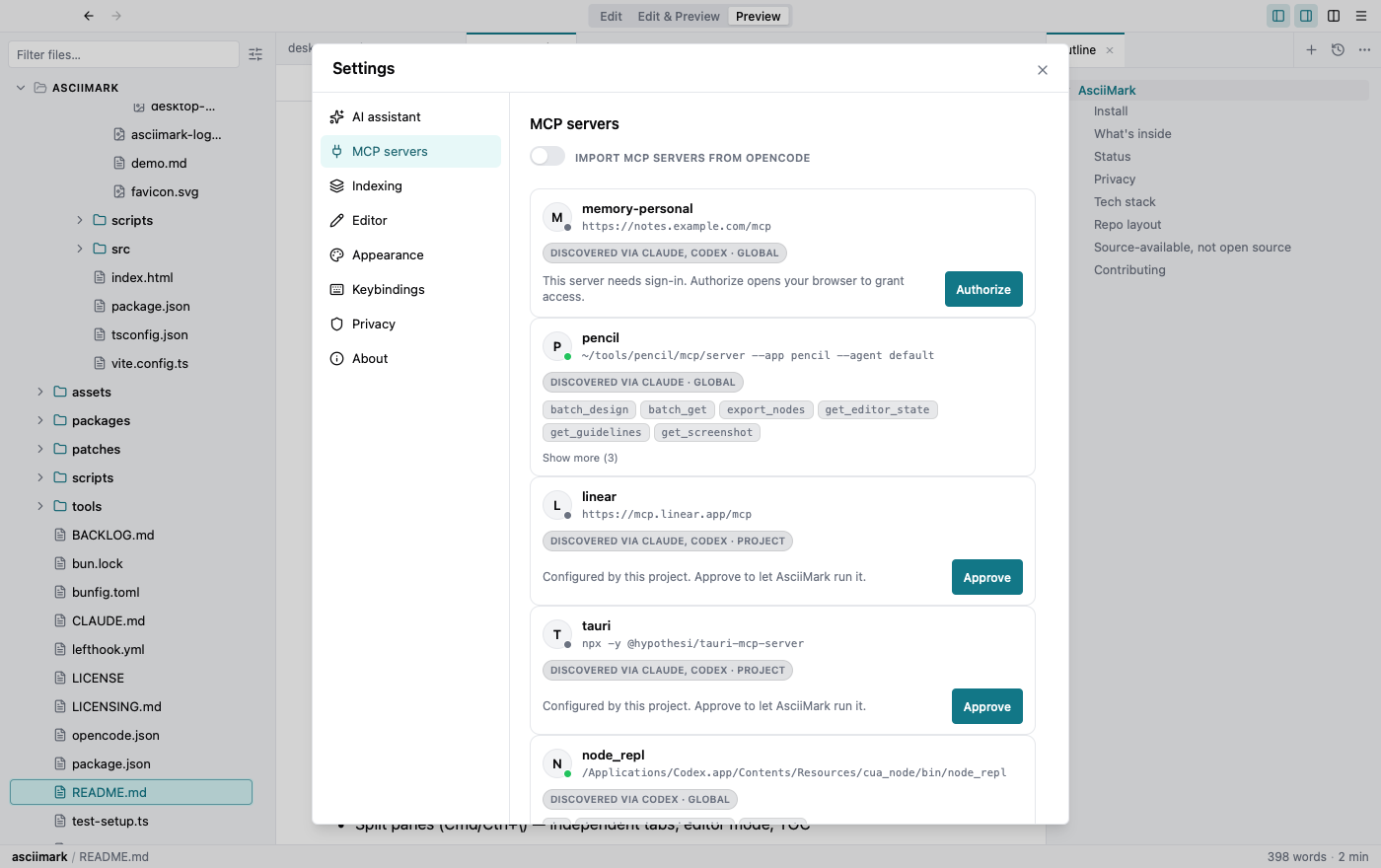
Model Context Protocol (MCP) servers extend the assistant with extra tools — issue trackers, design tools, documentation, and more. Manage them in Settings → MCP servers.
Adding a server
Section titled “Adding a server”Add a local server by command (stdio) or a remote one by URL (HTTP). Each server’s tools are listed so you can see what it offers before enabling it.
Discovered servers
Section titled “Discovered servers”Servers already configured for other tools — Claude, Codex, OpenCode — are discovered automatically. Project-scoped servers ask for your approval before Markdraw will run them.
Authentication
Section titled “Authentication”Servers that need sign-in use OAuth — click Authorize and Markdraw opens your browser to grant access. Custom headers are supported for servers that authenticate differently.