
AsciiDoc + Markdown
Renders both formats with admonitions, includes, frontmatter, and reusable partials in a single viewer.
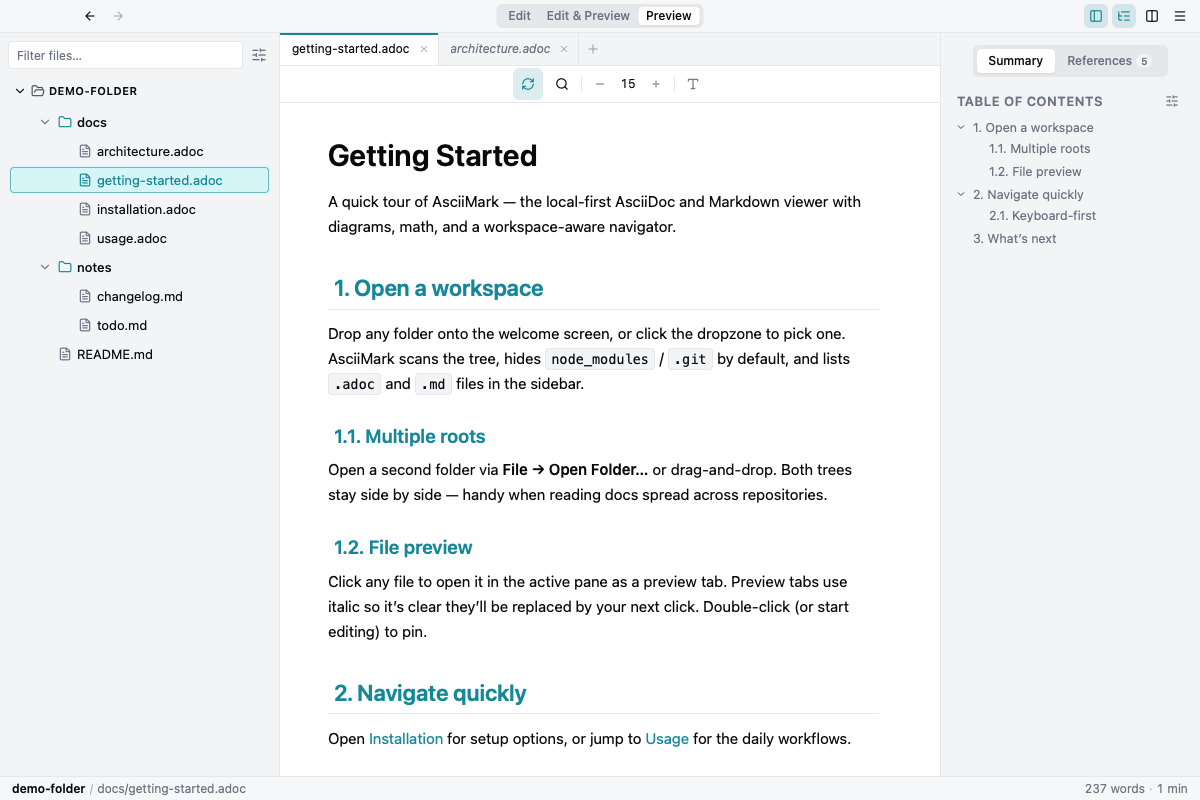
AsciiDoc + Markdown
Renders both formats with admonitions, includes, frontmatter, and reusable partials in a single viewer.
Split panes + preview tabs
Open files side by side. Single-click opens preview tabs (italic), edit or double-click pins them — VSCode-style.
Keyboard-first navigation
Quick Open, Command Palette, Go-to-Heading, Workspace Symbols, and Find-in-Files — all one shortcut away.
Backlinks panel
The right gutter has a References tab listing every doc in the workspace that links to the active file.
Workspace symbol search
Cmd/Ctrl+Alt+O fuzzy-matches headings across every doc in the workspace and jumps to the right line.
Reader / Zen mode
Cmd/Ctrl+. collapses the chrome and centers the preview at a comfortable reading width. Toggle off the same way.
Diagrams and math
Mermaid, PlantUML, Graphviz, and KaTeX render inside the preview without extra setup.
AI assistant
Chat about the document you’re editing, generate editable diagrams, and connect your own AI providers and MCP servers.
Multi-root workspaces
Pin several folders into the sidebar at once — handy when reading docs spread across repos.
Local-first, auto-update
Files stay on your machine; signed releases land via the auto-updater on startup.
All links below point to releases/latest/download in the public repository.
Markdraw is also a Chrome extension — render .adoc and .md files directly in any tab without installing the desktop app.
Windows SmartScreen may require More info and then Run anyway.